


All movement-data users
See every trial, in three dimensions.
Explore keeps every Mokka feature in a refreshed interface: navigate 3D time-series, plot signals by drag-and-drop, and play video in sync with your data. Free for students.
Inside Explore
The 3D scene.
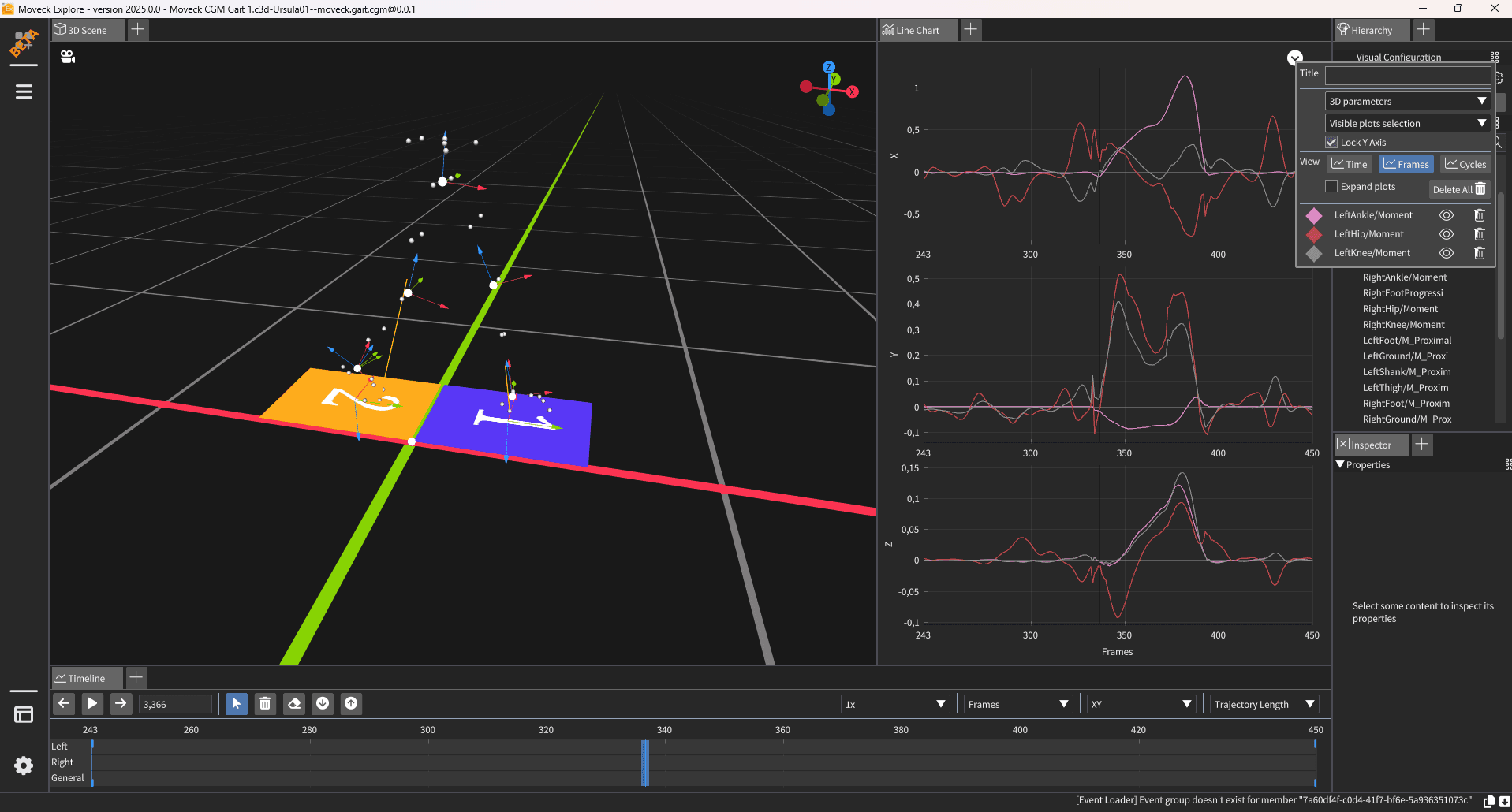
What you can do
Everything Mokka did, brought up to date.
Eight areas of the application, from the 3D scene to the way you save your own layouts.
3D visualization
Navigate 3D time-series (markers, forces, segments) from a free perspective or fixed orthogonal planes, plus advanced 3D tools for kinematics and dynamics.
- Perspective
- Orthogonal
- Extra 3D
2D charts
Plot 3D components by drag-and-drop and view analog signals stacked or split into individual charts, with events and the current frame always visible.
- Point chart
- Collapsed
- Expanded
Media
Load and play video synced with your data. Auto-detect video in C3D files or on import, and adjust playback delay to line video up with the signal.
- Video sync
- C3D detect
File input and output
Import and export data across different hardware and formats while keeping everything intact for smooth, uninterrupted analysis.
- Import
- Export
Timeline and events
Full playback control from the time bar: select regions of interest, crop data, and interact with events directly on the timeline.
- Time bar
- Regions
- Crop
Data accessibility
Edit markers, segments and models in a few clicks with the Acquisition Explorer, and keep multiple configurations for flexible setups.
- Markers
- Segments
- Models
Views configuration
Save your preferred layouts and set them as default. Switch between them instantly to tailor the workspace to each task.
- Save
- Defaults
- Switch
Settings
Set default colours, visibility and orientation so every session opens with a consistent, familiar 3D view.
- Colours
- Visibility
- Orientation
Why Explore
Built to be picked up quickly
An intuitive viewer that fits into a modern workflow, on the platform you already use.
Made for students
An intuitive, effective tool that makes data exploration easier, helping students excel throughout their academic journey.
Windows and macOS
Available on both Windows and macOS, so a wider range of users can work with the same tool on their preferred platform.
A refreshed interface
Explore keeps every Mokka feature with a redesigned look that aligns with the other Moveck applications and modern expectations.
Ongoing support
Maintained by a dedicated team that delivers bug fixes and keeps the software ahead of technological change.
Fits your workflow in the big-data era
Explore pairs naturally with Pipe, Cleanse and Bridge, slotting into your workflow to make it easy to visualize a single trial within large datasets.