




Biomechanists, clinical scientists
Spend less time preparing your data for analysis.
Import processed data, detect gait events, and exclude aberrant cycles. Cleanse delivers clean, length-normalized cycles you can trust, then exports them as clinical reports or statistics-ready datasets.
Inside Cleanse
From events to report.
From raw data to clean cycles
Six steps to analysis-ready results.
Each stage gives you several methods, so you can match Cleanse to your data and your analysis.
- 1
Import
any file format, simultaneously
- .c3d
- .mvnx
- More formats
- +
- 2
Detect events
manually or with verified algorithms
- Zeni
- Ghoussayni
- IntellEvent
- Force plates
- +
- 3
Exclude
aberrant cycles from your analyses
- Slice
- Point-and-click
- Range
- +
- 4
Compare
several analyses at the same time
- Subjects
- Population
- Conditions
- +
- 5
Interpret
a pre-interpretation step before reporting
- Spatio-temporal outcomes
- Descriptive statistics
- Cross-context review
- +
- 6
Report
in the format each reader needs
- Word (clinical)
- Excel (statistics)
- +
Every step can be extended with your own methods.
Why Cleanse
Clean data, faster reporting
Interactive tools for verifying events, removing outlier cycles, reading spatio-temporal outcomes and comparing analyses, then reporting in Word or Excel, with statistics that update as you work.
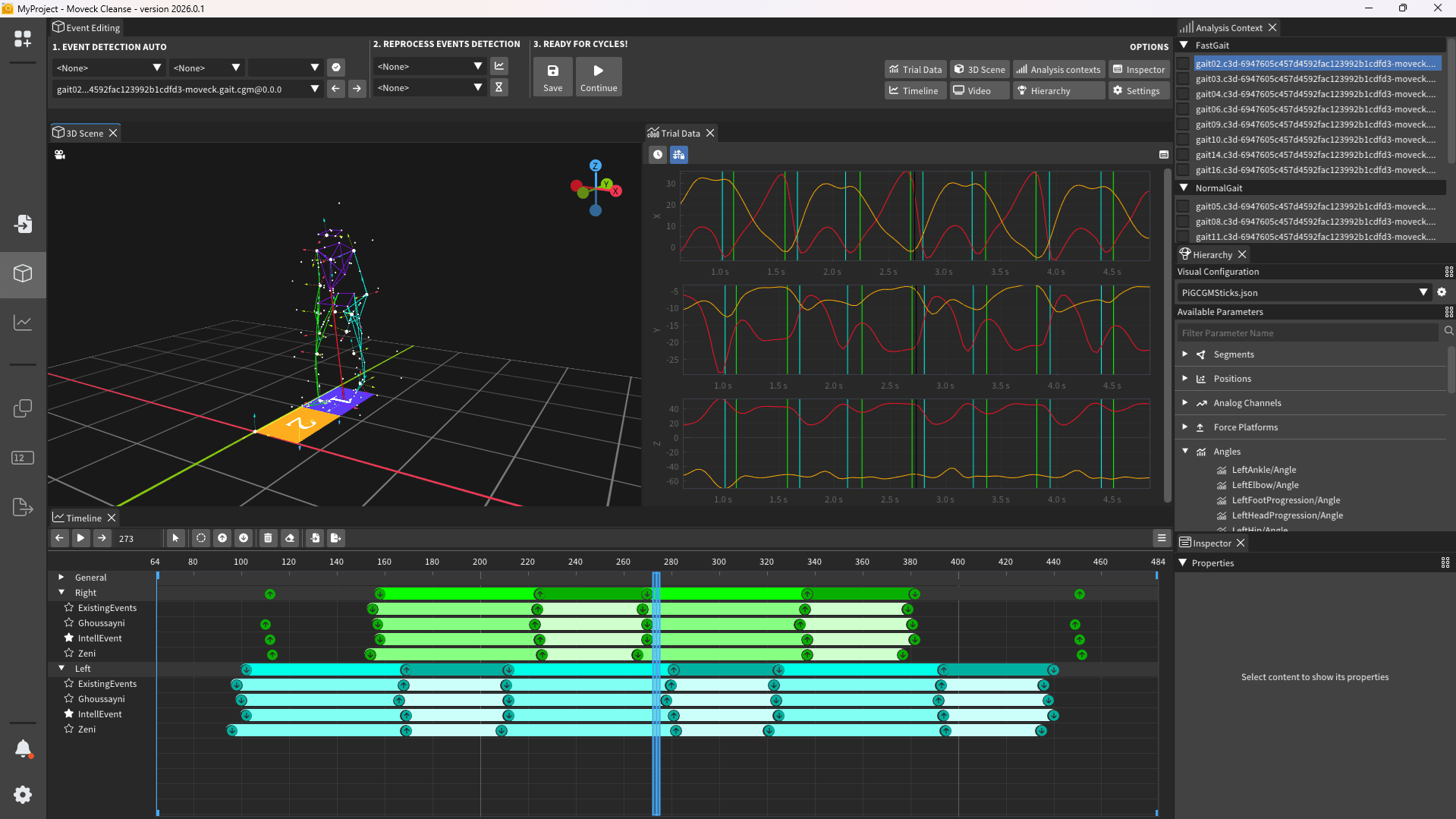
Event verification
Verify event detection with published, verified automatic algorithms, then fine-tune manually. Interactive visualizations help you adjust events to the context you have specified.
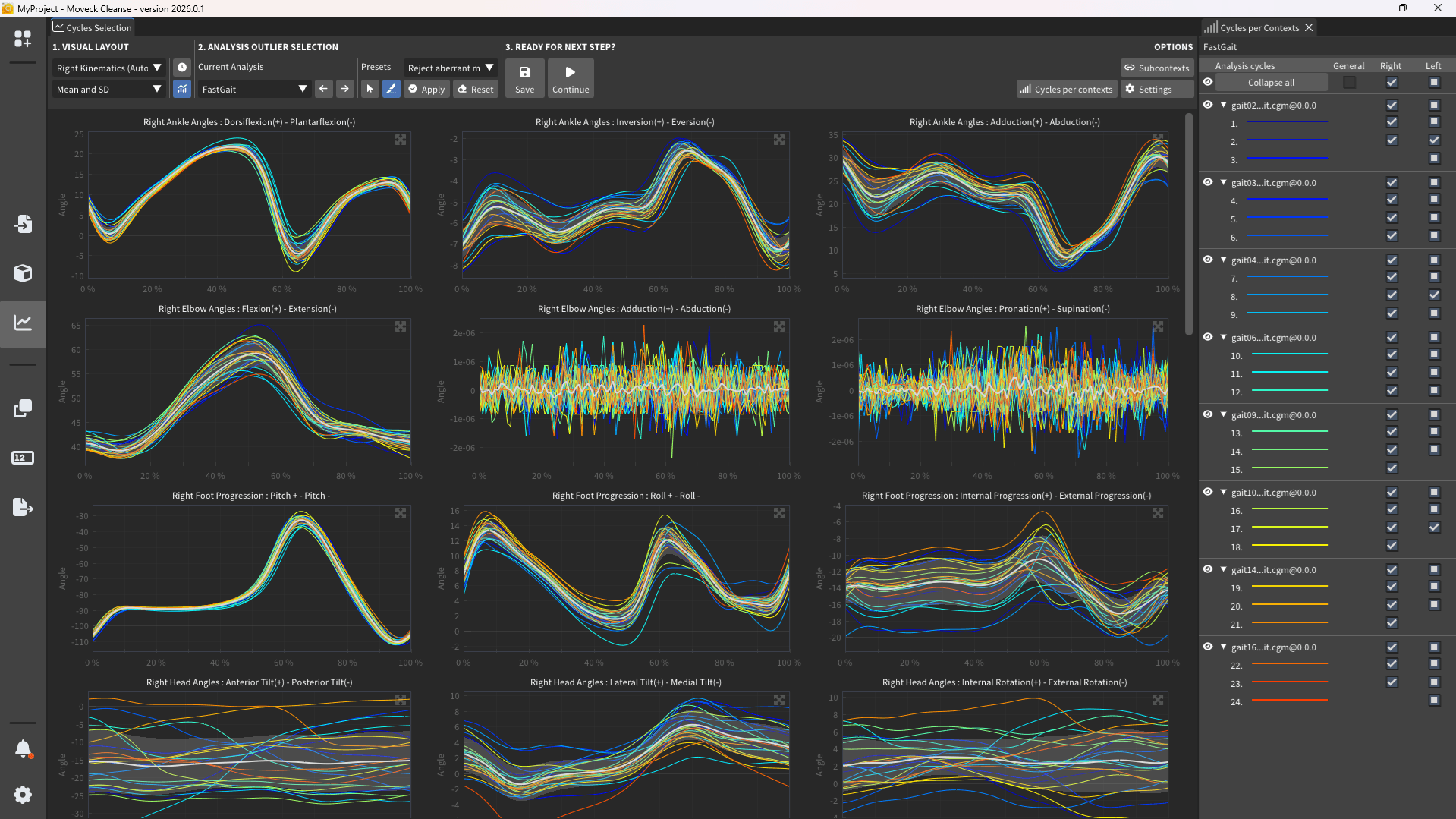
Outlier cycle exclusion
All cycles are length-normalized and shown per parameter, using automatic or custom layouts. Discard unexpected cycles right from the charts, and descriptive statistics update automatically.
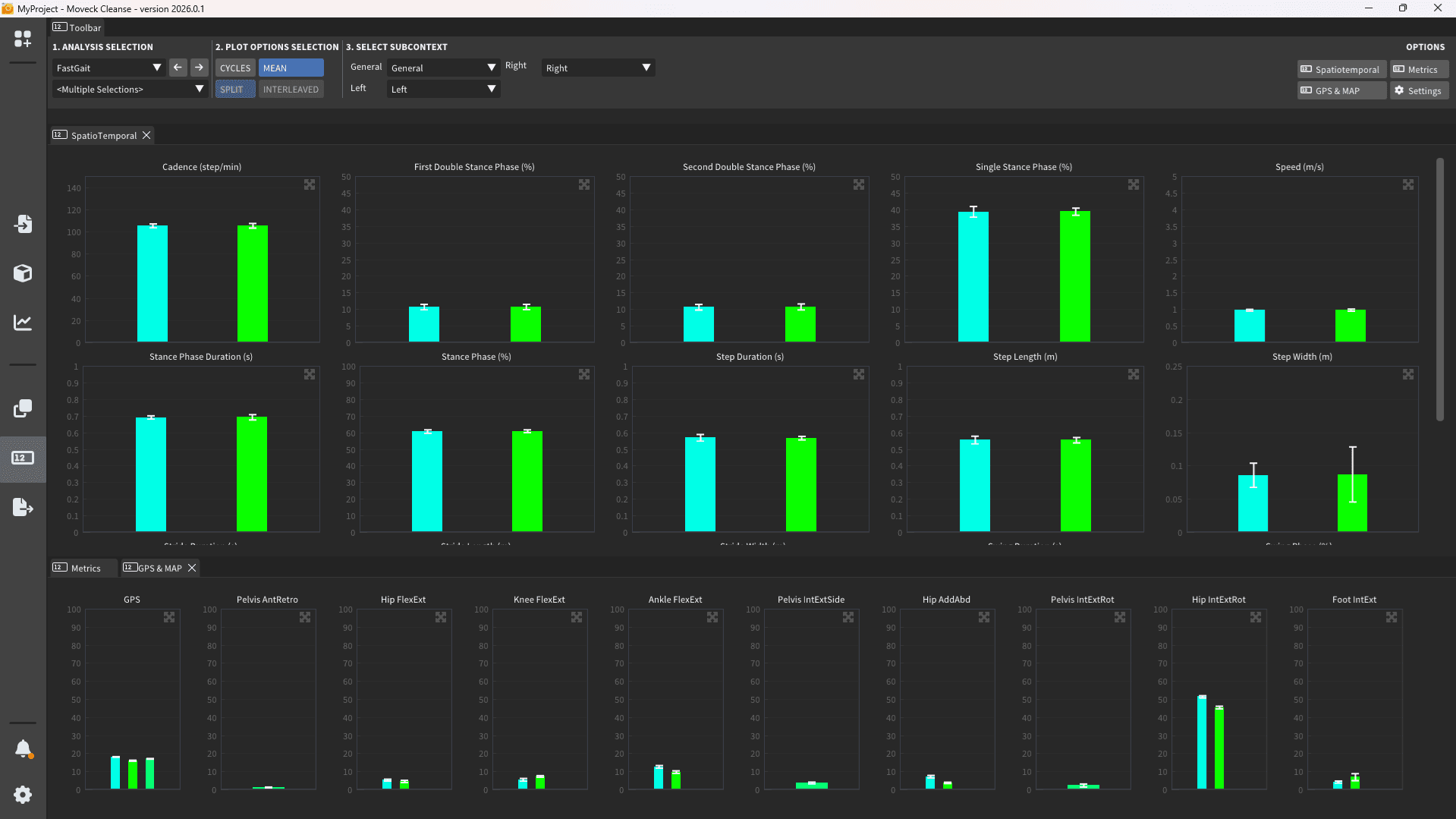
Spatio-temporal outcomes
A dedicated outcomes view reports spatio-temporal parameters (cadence, stride length, step time and more), computed per cycle and summarized across the whole analysis.
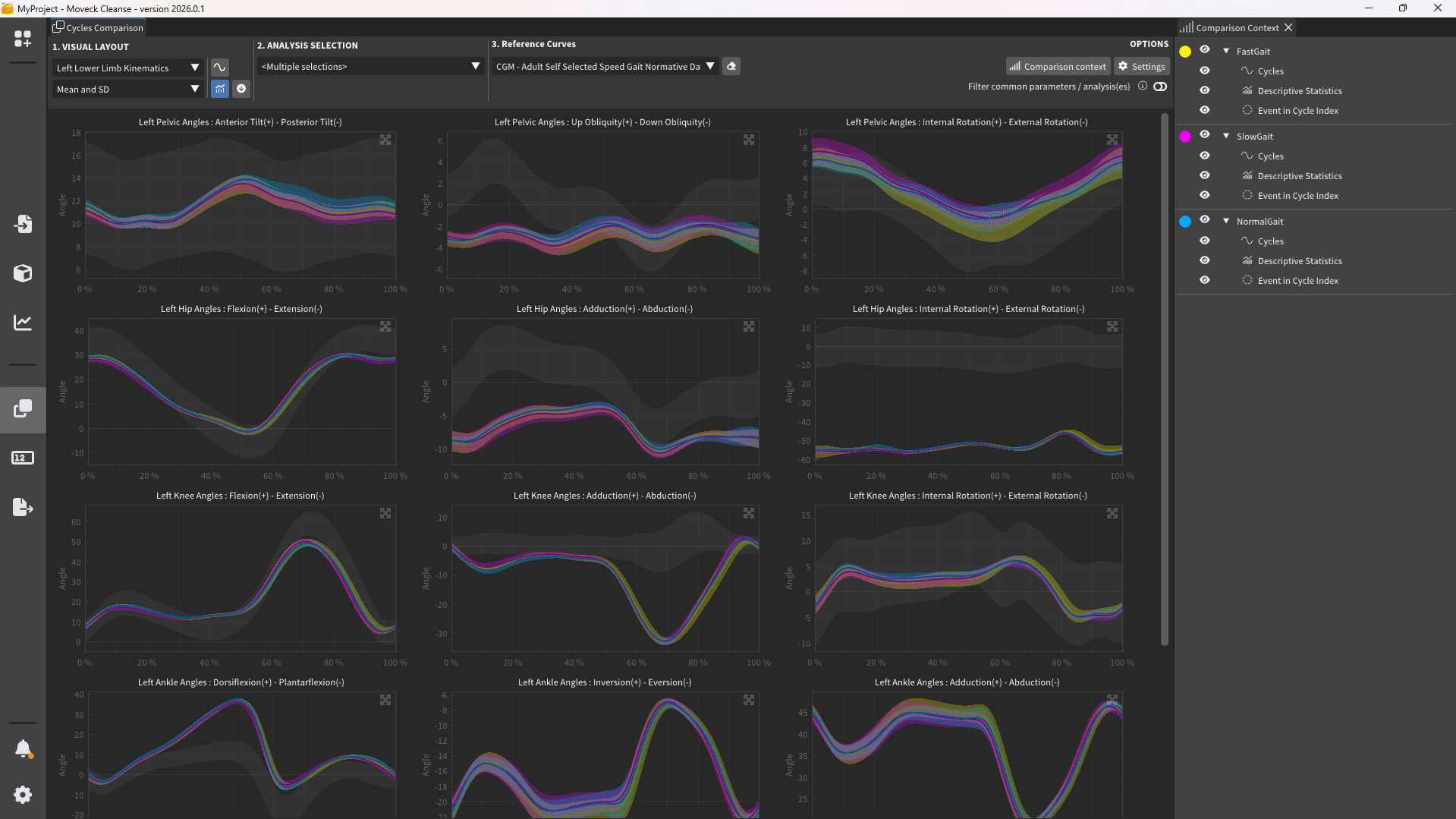
Multiple analyses at once
Use the same data to generate different analyses side by side: compare the effect of an algorithm (data filtering, gap filling), an event-detection method, or the kinematics and kinetics of a model, or simply compare trials with different characteristics.
Reports built for every reader
Generate reports in the format that fits the audience. Word reports are tailored for clinical use and easy sharing; Excel exports open the door to your own statistical tools and deeper analysis.